Render Pricing Breakdown (2026): What You Actually Pay
Updated 2026-05-14 · 9 min
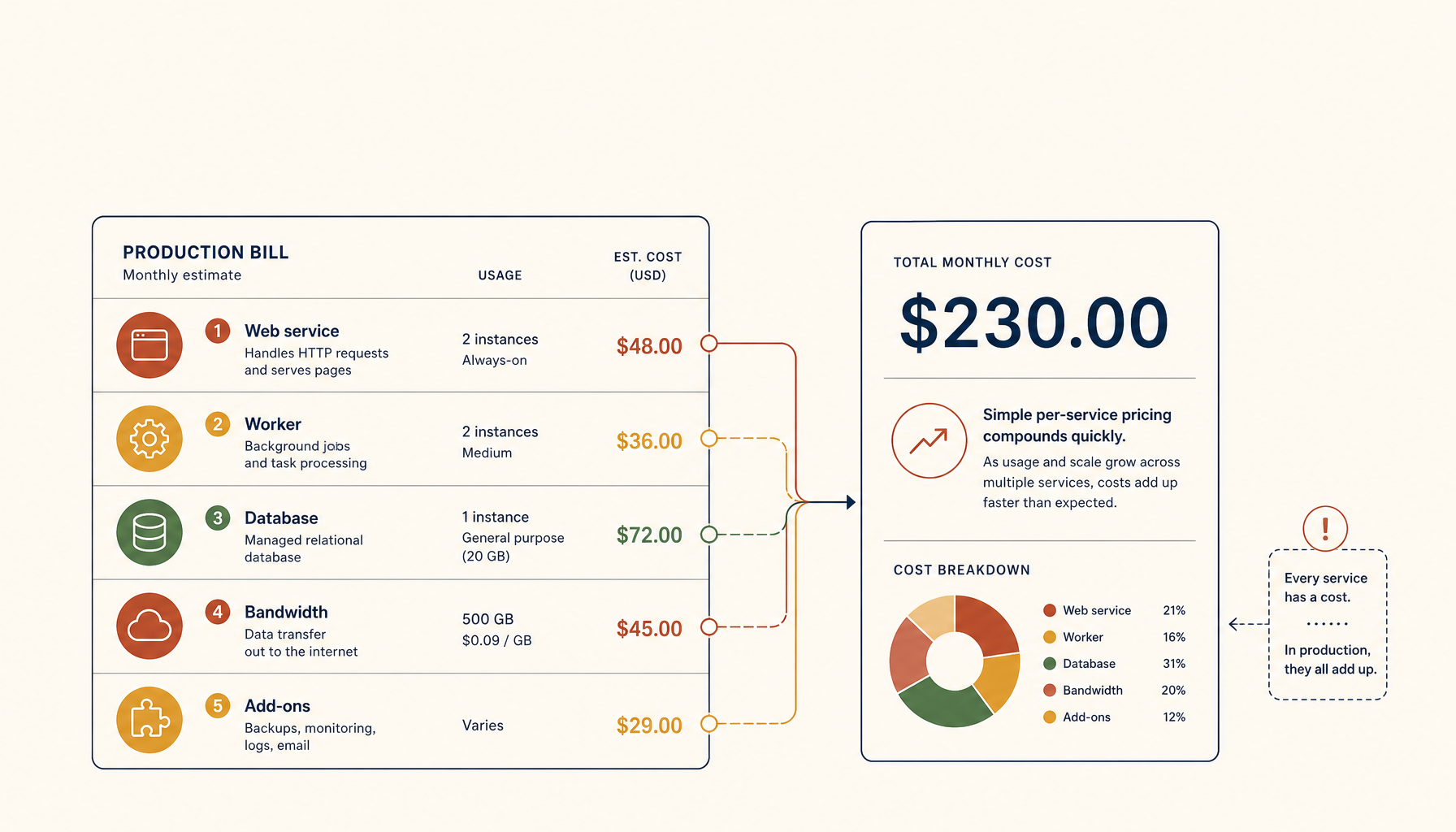
Render positions itself as the simpler alternative to Heroku. The pricing reflects that: straightforward per-service billing instead of usage-based surprises.
But "simple" does not mean "cheap". Here is what Render actually costs.
Pricing Tiers Overview
| Service Type | Free | Starter | Standard |
|---|---|---|---|
| Web Service | $0 (suspends) | $7/mo | $25/mo |
| Private Service | - | $7/mo | $25/mo |
| Background Worker | - | $7/mo | $25/mo |
| Cron Job | - | $1/mo | $1/mo |
| PostgreSQL | $0 (90 days) | $7/mo | $20/mo |
| Redis | - | $10/mo | $25/mo |
The catch: free tier services suspend after 15 minutes of inactivity. Not useful for production.
Real-World Cost Examples
Example 1: Side project (simple web app)
- 1 web service (Starter)
- Free PostgreSQL (90-day limit)
- Minimal traffic
Actual cost: $7/mo (then $14/mo after free DB expires)
Good for learning and prototypes. The free database has a hard expiration.
Example 2: Small SaaS (API + database + worker)
- 1 web service (Standard): $25
- 1 background worker (Starter): $7
- 1 PostgreSQL (Starter): $7
- 1 Redis (Starter): $10
Actual cost: $49/mo
This is the "real app" baseline. Most production apps land here or higher.
Example 3: Growing startup (multiple services, staging)
- 2 web services (Standard): $50
- 2 background workers (Standard): $50
- 1 PostgreSQL (Standard): $20
- 1 Redis (Standard): $25
- Staging environment (duplicate): ~$75
Actual cost: $150-220/mo
Staging environments double your cost. Teams often forget this.
Hidden Costs to Watch
1. Per-service billing adds up
Unlike usage-based platforms, every service is a line item. A "microservices" architecture becomes expensive fast. Consolidate where you can.
2. Database pricing scales steeply
The $7 starter PostgreSQL has 1GB storage and limited connections. Production apps often need Standard ($20) or higher. Large databases cost $85-185/mo.
3. Bandwidth is not unlimited
Render includes bandwidth, but egress-heavy apps (media, large APIs) can hit limits. Check your usage patterns.
4. Free tier suspensions kill UX
Free services suspend after inactivity. Your first visitor waits 30+ seconds for cold start. Not viable for anything user-facing.
5. Staging is a full duplicate cost
No "preview environment" magic. Staging means paying for every service twice.
Cost Comparison
| Platform | Starter | Production | Model |
|---|---|---|---|
| Render | $19 | $50-150 | Per-service |
| Railway | $15 | $60+ | Usage-based |
| Vercel | $20/seat | $80+ | Per-seat + usage |
| Fly.io | $5 | $25-50 | Resource-based |
| Hetzner VPS | $6 | $12-25 | Flat monthly |
When Render Makes Sense
Use Render when:
- You want predictable, per-service billing
- You prefer a simpler model than usage-based pricing
- You need managed PostgreSQL without running your own
- Your architecture has 2-4 services max
Consider switching when:
- You run 5+ services and costs stack
- You need staging without doubling the bill
- Your database needs outgrow the managed tiers
- A flat VPS cost looks better than per-service math
The VPS Alternative
A single VPS with Docker Compose runs unlimited services for one flat fee:
- Hetzner CX22: $6/mo (2 vCPU, 4GB RAM)
- Hetzner CX32: $12/mo (4 vCPU, 8GB RAM)
You run your own PostgreSQL, Redis, workers, and cron. One bill.
The tradeoff is setup and maintenance. Tools like Coolify or ServerCompass automate most of it.
My Recommendation
Render is a good middle ground: simpler than Heroku was, more managed than a VPS.
But once you have more than 3-4 services, the math changes. A $12 VPS can host what costs $100+/mo on Render.
Use Render to ship quickly. Migrate when service count makes VPS math obvious.
Where to go next
Comparisons:
Tutorials:
ServerCompass:
Related in the StoicSoft network
If you're choosing a VPS provider or benchmarking real-world performance like the post above explores, StoicVPS is the StoicSoft network's independent tracker for VPS pricing, performance, and migration safety.