Fly.io Pricing Explained (2026): Shared CPU, Bandwidth, and Real App Costs
Updated 2026-05-14 · 13 min
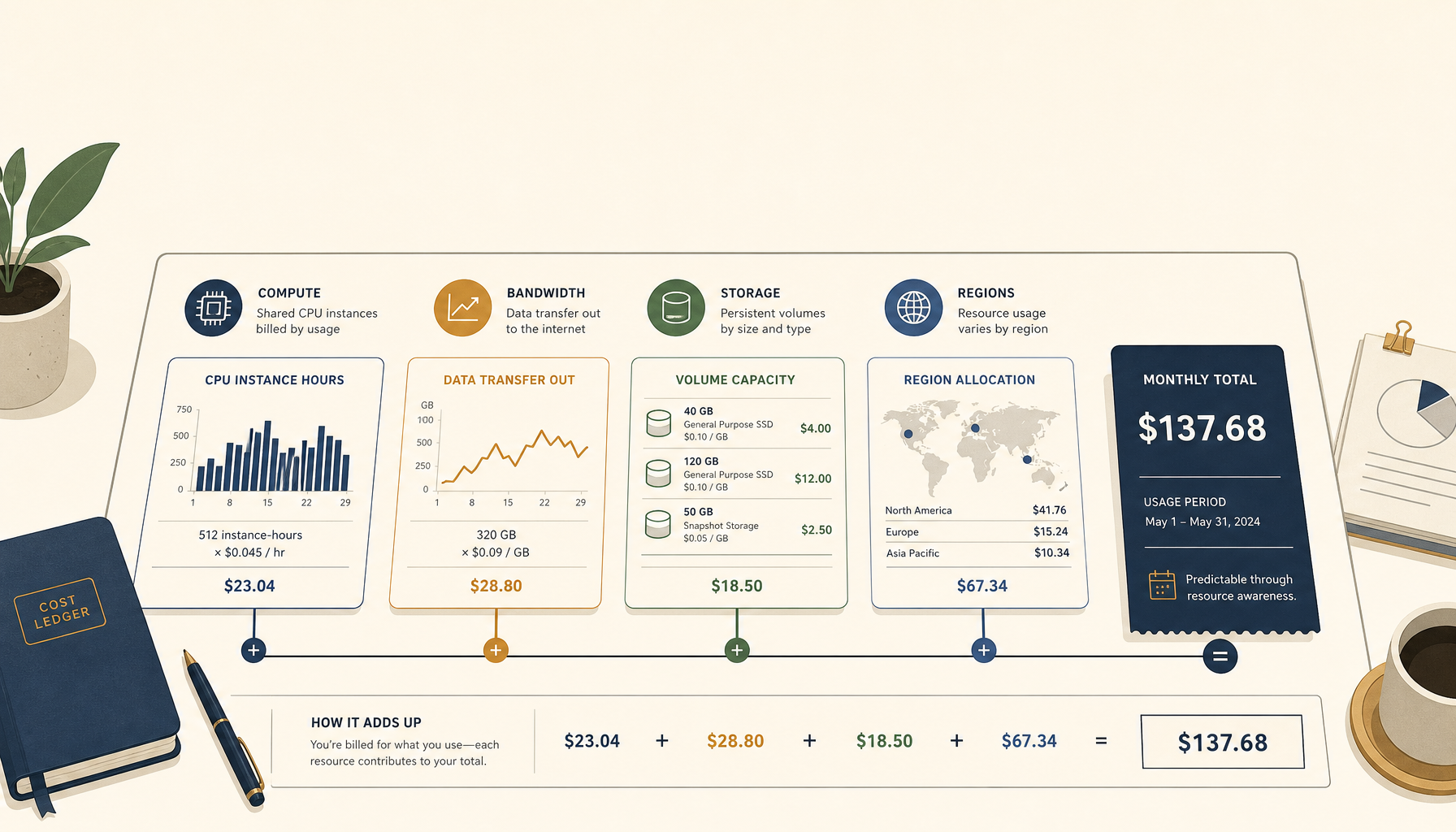
Fly.io is one of the best options when you want more control than a PaaS but do not want the full DIY burden of a raw VPS.
It is also easy to misunderstand because the pricing is not "one plan". It is a set of resources.
This guide is meant to make Fly pricing predictable enough that you can decide quickly.
What you pay for on Fly.io
At a high level, you pay for:
- compute (CPU/RAM via machine size)
- storage (volumes)
- bandwidth (especially egress)
- optional services (depending on your stack)
If your mental model is "my app costs $X/month", convert your app into those resources. That is the only way to avoid surprises.
Shared CPU pricing (what most apps start with)
Shared CPU machines are the default choice for small and medium apps. They are cost-effective, but you must accept that you share the physical CPU.
Shared CPU is a good fit when:
- your workload is mostly IO bound (API calls, DB queries)
- you do not run sustained CPU-heavy jobs
- you care about cost more than peak performance
If you run sustained compute (video, ML, heavy transforms), move to dedicated CPU.
Real app costs (three practical examples)
Example 1: a small API with one region
- 1 small machine
- minimal bandwidth
- small database elsewhere
Cost signal: low double digits for many teams.
Example 2: Next.js app + API + a worker
- web machine
- api machine
- worker machine (jobs)
- some storage
Cost signal: $20 to $50/month, depending on your machine sizes and traffic.
Example 3: global traffic with 2-3 regions
Multi-region is where Fly shines, and where cost can grow if you do not plan:
- more machines
- more network traffic
- more operational complexity
Cost signal: still often cheaper than a "usage-heavy" PaaS, but not free.
Hidden cost #1: Bandwidth and egress patterns
Bandwidth is the classic surprise.
You get in trouble when:
- you serve images/media from the app
- you return large JSON payloads at scale
- you proxy third-party assets
Fixes:
- put media behind a CDN (Cloudflare R2, S3, etc.)
- compress responses
- cache at the edge when it makes sense
Hidden cost #2: Storage volumes
Volumes are not complicated, but they are easy to forget.
If you run anything stateful on Fly, you pay for:
- disk
- snapshots/backups (depending on your setup)
Many teams keep state in managed services, and use Fly for compute only. That keeps pricing easier.
When Fly beats a VPS (and when it does not)
Fly beats a VPS when:
- you want a middle ground: control without full DIY
- you want multi-region routing without building it yourself
- you are okay with a bit of infrastructure learning
VPS beats Fly when:
- you want the lowest possible flat cost
- your workload is stable and single-region
- you are happy running Docker Compose + a reverse proxy
If you are deciding between Fly and a flat-cost VPS provider, read:
Where to go next (internal links)
- Tutorials:
/deploy/docker/guide/traefik-ssl
- Comparison:
/compare/hetzner-vs-digitalocean
- ServerCompass:
Related in the StoicSoft network
If you're choosing a VPS provider or benchmarking real-world performance like the post above explores, StoicVPS is the StoicSoft network's independent tracker for VPS pricing, performance, and migration safety.
If you regularly stitch together PDF, image, video, or batch-file workflows like the ones above, 1FileTool is the StoicSoft network's purpose-built desktop app — 245+ local-first tools, pay-once, files never leave the device.