Railway Pricing 2026: Why Your $5 App Will Cost $40+ in Production
Updated 2026-05-14 · 12 min
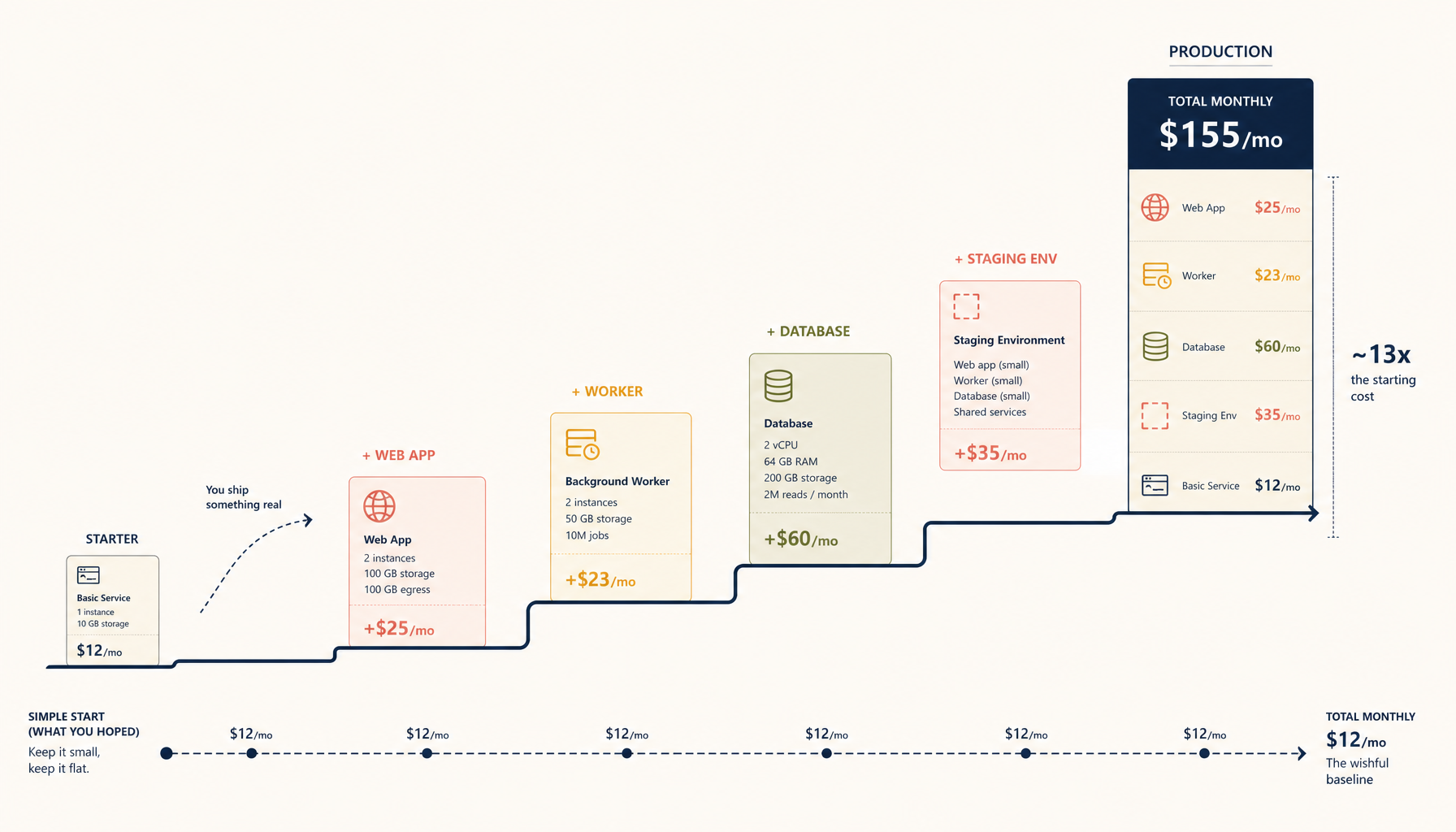
Railway is one of the best "deploy fast" platforms for small teams. It is also one of the easiest to underestimate.
This page is a pricing teardown, not a marketing summary. The goal is to help you answer one question:
What will Railway cost for a real app in production?
The simple model: Railway costs are "baseline + growth taxes"
For most apps, the Railway bill is driven by:
- the number of services you run (API, worker, cron, etc.)
- CPU/RAM sizing for each service
- database resources
- bandwidth and egress patterns
- uptime expectations (how many environments you keep always-on)
If you keep the architecture minimal, the bill stays reasonable. If you accidentally build "microservices by default", Railway gets expensive fast.
Comparison table (quick context)
| Platform | Typical cost range |
|---|---|
| Railway | $15-$60 |
| Vercel | $20-$80 |
| Fly.io | $10-$50 |
| Hetzner VPS | $6-$10 |
This is not "official pricing". It is what teams usually experience when they run a real project with a database and background jobs.
Realistic Railway scenarios
Scenario A: single backend + Postgres (starter production)
This is the "one API service" setup:
- 1 Node API service
- 1 Postgres database
- 1 environment
What happens:
- the app runs smoothly
- the bill stays near the low end
Typical cost signal: ~$15 to $30/month
Scenario B: backend + worker + cron + Postgres (most teams by month 2)
This is where cost jumps:
- API service
- worker service (queues)
- cron service
- Postgres
- staging environment you forgot to sleep
Typical cost signal: ~$30 to $60/month
The main driver is not that Railway is "bad". It is that you now have multiple always-on services.
Scenario C: spiky traffic + logs + heavy egress (surprise month)
The predictable surprise is bandwidth and operational extras (logs, metrics, etc.). If you ship large responses or serve media, your bill becomes harder to reason about.
Typical cost signal: $60+/month, depending on how much "platform convenience" you keep enabled.
Where teams get surprised
1. Keeping staging always-on
If your staging environment is always running, it is production cost in disguise.
Fix:
- sleep it automatically
- keep it only when you actively test
2. Adding "just one more service"
One more service usually means:
- one more bill line item
- one more place to debug
If you can keep background jobs inside the same service for a while (even if it is not perfect), you buy time.
3. The database becomes the expensive part
Databases are not expensive because vendors are evil. They are expensive because production databases need:
- storage
- memory
- backup/replication
- reliability guarantees
If you are paying for that, at some point a VPS becomes attractive.
When a VPS is cheaper (and when it is not)
VPS is cheaper when
- you run multiple services
- you want a flat monthly cost
- you can accept basic ops responsibilities (backup, upgrades)
The baseline VPS path most teams take:
- one $6 to $12 VPS
- Docker Compose
- Traefik or Nginx reverse proxy
- daily backups
VPS is not cheaper when
- you do not want to be on call for infrastructure
- you need managed reliability and do not have ops skills
- your app is early and you value speed more than cost
My recommendation (pragmatic)
- Use Railway to ship and learn quickly.
- Once you have stable traffic and more than 2-3 always-on services, treat a VPS migration as an engineering investment that pays off monthly.
If you want to keep the "push to deploy" workflow while moving to a VPS, compare here:
Where to go next (internal links)
- Tutorials:
/deploy/nodejs/deploy/docker-compose
- Comparison:
/compare/railway-vs-render
- ServerCompass:
Related in the StoicSoft network
If you're self-hosting on a VPS or working through a deployment guide like the one above, DeployToVPS is the StoicSoft network's handbook for VPS deployment recipes — docker-compose, nginx, traefik, and common app self-hosts.