Dokploy vs ServerCompass: Self-Hosted Deploy Tools Compared
Updated 2026-05-07
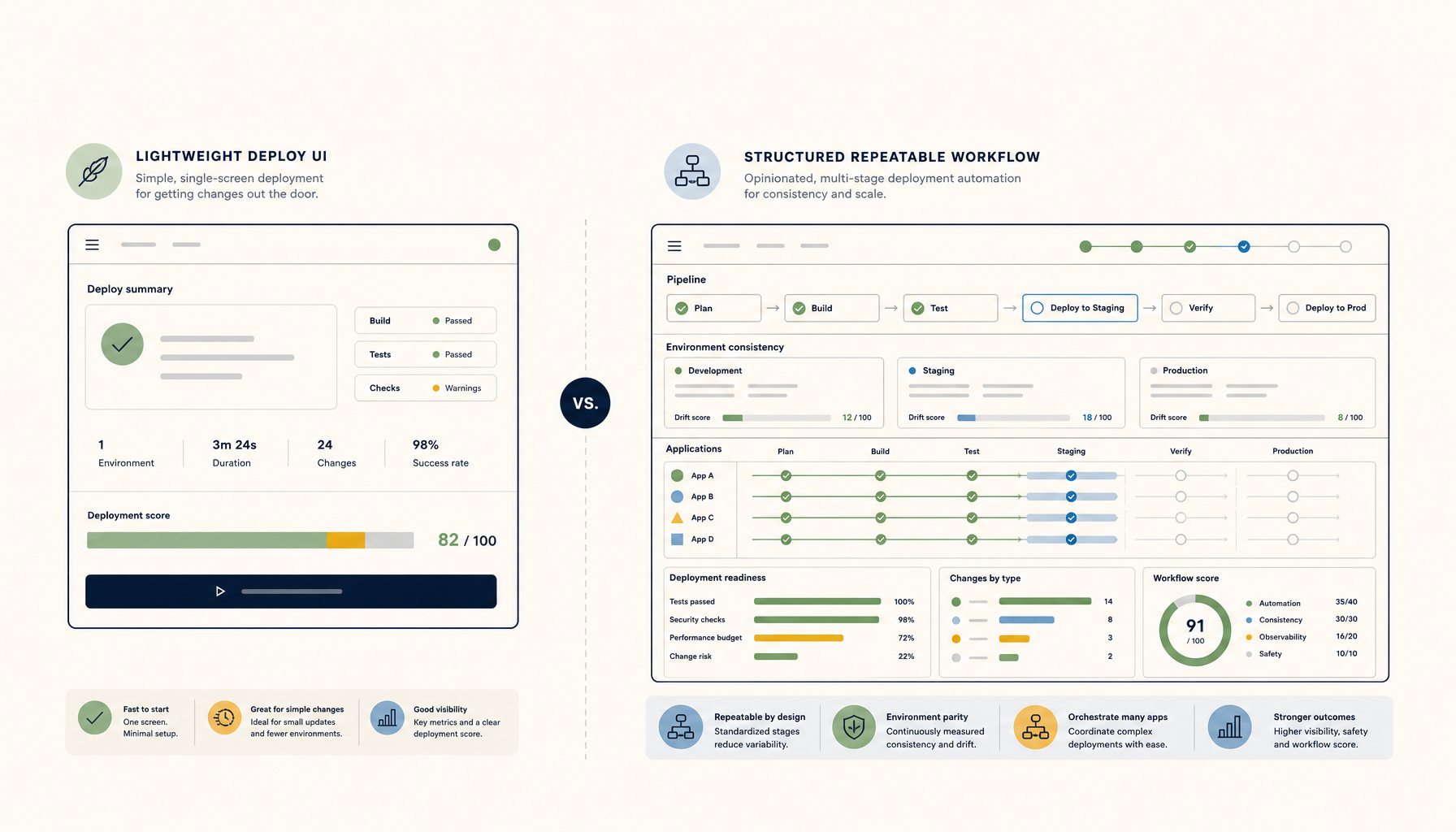
Quick answer: Pick ServerCompass if you deploy frequently and want repeatable, team-friendly workflows. Pick Dokploy if you want a lightweight deploy UI with minimal overhead.
Comparison Table
| Criteria | Dokploy | ServerCompass |
|---|---|---|
| Philosophy | Simple deploy UI | Repeatable deployment workflows |
| Setup complexity | Very simple | Simple with more config options |
| Best for | Solo developers, small projects | Teams, multi-app deployments |
| Git integration | Basic webhooks | Full CI/CD-like workflows |
| Learning curve | Easy | Easy to Medium |
| Multi-app management | Supported | First-class support |
| Verdict | Best for simplicity | Best for repeatability |
Dokploy Overview
Strengths
- Extremely lightweight and simple
- Minimal resource usage on the server
- Quick to install and configure
- Good for deploying a few apps
- Clean, focused interface
Weaknesses
- Less suited for complex workflows
- Limited template and preset system
- Smaller community and ecosystem
- Fewer automation features
- Basic compared to full PaaS solutions
Best for
- Solo developers with simple needs
- Small projects that rarely change
- Developers wanting minimal overhead
- Quick deployments without complexity
ServerCompass Overview
Strengths
- Built for repeatable deployments
- Strong multi-app and team support
- Consistent workflows across projects
- Better automation and presets
- Active development focused on DX
Weaknesses
- Slightly more setup than Dokploy
- More features mean more to learn
- Newer in the self-hosted space
- Requires understanding deployment patterns
Best for
- Teams deploying frequently
- Multi-app environments
- Developers wanting Vercel-like workflows on VPS
- Projects that need consistency and repeatability
When to pick Dokploy
Pick Dokploy if:
- You have one or two apps to deploy
- You want the simplest possible setup
- You prefer minimal tools over feature-rich platforms
- Your deployment needs rarely change
- You are a solo developer without team requirements
When to pick ServerCompass
Pick ServerCompass if:
- You deploy multiple apps regularly
- You want repeatable, documented workflows
- You work with a team and need consistency
- You want Vercel-like DX on your own VPS
- You value automation and presets
Verdict
ServerCompass wins for developers who deploy frequently and want predictable, repeatable workflows. The focus on developer experience and multi-app management makes it the better choice for growing projects and teams.
Dokploy is the right choice if simplicity is your only requirement. For solo developers with a few static projects, Dokploy gets the job done without overhead.
Both tools assume you are comfortable running a VPS. If you want the benefits of self-hosting with less friction, ServerCompass provides the stronger foundation.
Where to go next
Tutorials:
Related comparisons:
ServerCompass:
Final verdict
ServerCompass
ServerCompass wins for repeatable workflows; Dokploy wins for minimal setup.
From across the StoicSoft network
Hand-curated reads on the same topic from sister sites in the StoicSoft family.
 Deploy to VPS35 min read
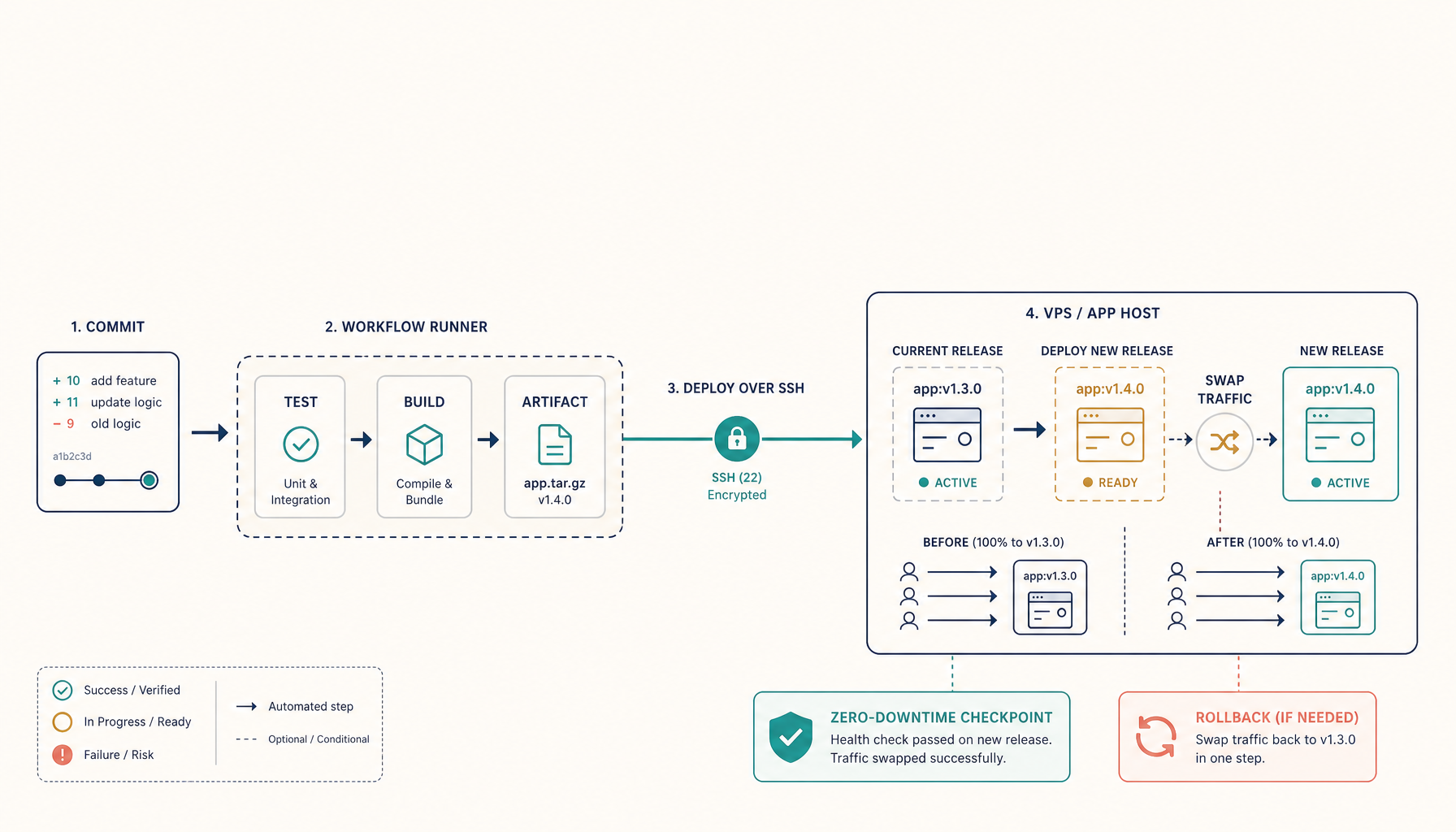
GitHub Actions Deploy to VPS: Complete CI/CD Guide
Set up automated deployments from GitHub to your VPS using GitHub Actions with SSH, Docker, and zero-downtime strategies.
Read on deploytovps.com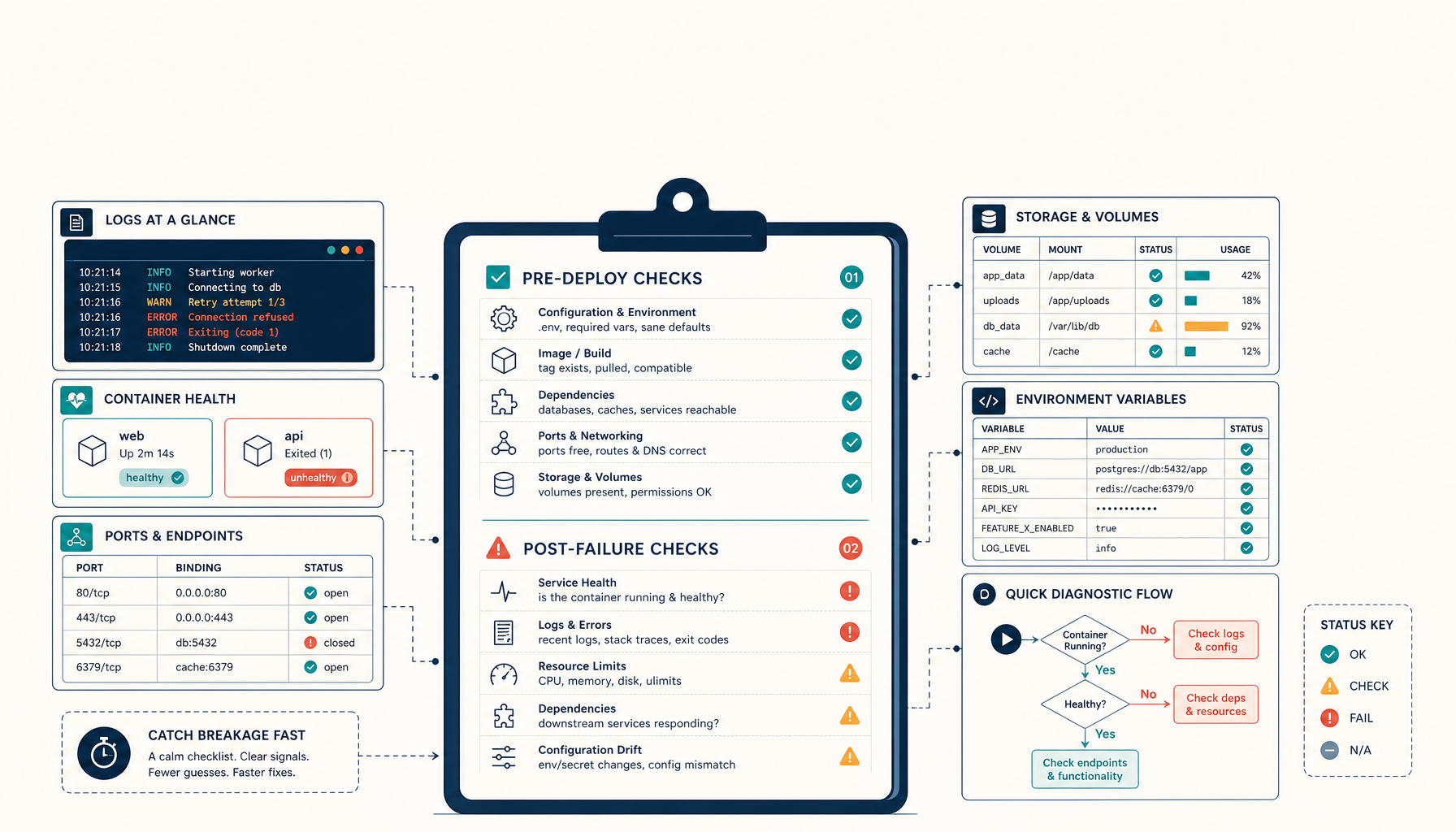 Deploy to VPS8 min read
Microweber + Dokploy: The 2-Minute Deploy Debugging Checklist
A practical pre-deploy and post-failure checklist for self-hosting Microweber via Dokploy. Catches 80% of common breakage.
Read on deploytovps.com