Push, Bind a Domain, See Logs: Self-Hosted PaaS Without the YAML Sprawl
Updated 2026-06-23

Self-hosters shopping for a "Vercel I can run myself" all describe the same wish list: push code, bind a domain (or a tunnel if you're behind CGNAT), see logs and resource usage, and — above all — not hand-maintain a sprawl of YAML. The market answer is a handful of self-hosted PaaS tools (CapRover, Coolify, Dokploy) plus the always-available raw VPS. They're not interchangeable. Here's how they compare on the workflow people actually care about.
Judge them on the workflow, not the feature matrix
Every tool lists a hundred features. For "Vercel on my VPS," only a few matter:
- Git push → deploy without writing a pipeline by hand.
- Domain/TLS binding in a couple of clicks (and a tunnel option for CGNAT).
- Logs and resource usage visible without SSH.
- Low YAML — config generated for you, not authored.
The options
CapRover. The most "appliance-like." Captain definitions and one-click apps; push via its CLI or Git. Mature and simple; less flashy, very low-YAML for common cases.
Coolify. The current darling — slick UI, Git integration, databases, previews, and a large app catalog. Most Vercel-like experience; actively developed. A bit heavier.
Dokploy. Newer, clean, Docker/Compose-friendly with a good UI. A strong middle ground; Compose-native if you still want some declarative control.
Raw VPS + reverse proxy. Maximum control, zero abstraction — you wire Traefik/Caddy and deploys yourself. Choose this only if you specifically want to own every layer; it's the PaaS-to-VPS trade you're usually trying to avoid.
Quick comparison
| Push-to-deploy | Domain + tunnel | Logs/metrics UI | YAML burden | Best when | |
|---|---|---|---|---|---|
| CapRover | Yes | Yes / via add-ons | Basic | Very low | Simple, appliance-like |
| Coolify | Yes | Yes | Good | Low | Most Vercel-like |
| Dokploy | Yes | Yes | Good | Low–Med | Compose-friendly middle |
| Raw VPS | DIY | DIY | DIY | High | You want full control |
The decisions that actually pick the tool
- Want the closest thing to Vercel? Coolify.
- Want the simplest, most appliance-y? CapRover.
- Comfortable with Compose but want a UI on top? Dokploy.
- Want to own every layer (and accept the work)? Raw VPS.
Whichever you pick, the tunnel-vs-public-domain decision and a backup you've actually restored still apply — the PaaS handles deploys, not your data safety.

Takeaway
The self-hosted PaaS choice isn't about feature counts — it's about which tool gives you push-to-deploy, easy domains/tunnels, and visible logs with the least YAML. Coolify for the most Vercel-like feel, CapRover for appliance simplicity, Dokploy for a Compose-friendly middle, raw VPS only if you want to own it all. Pick for the workflow; the rest is noise.
From across the StoicSoft network
Hand-curated reads on the same topic from sister sites in the StoicSoft family.
 Deploy to VPS7 min read
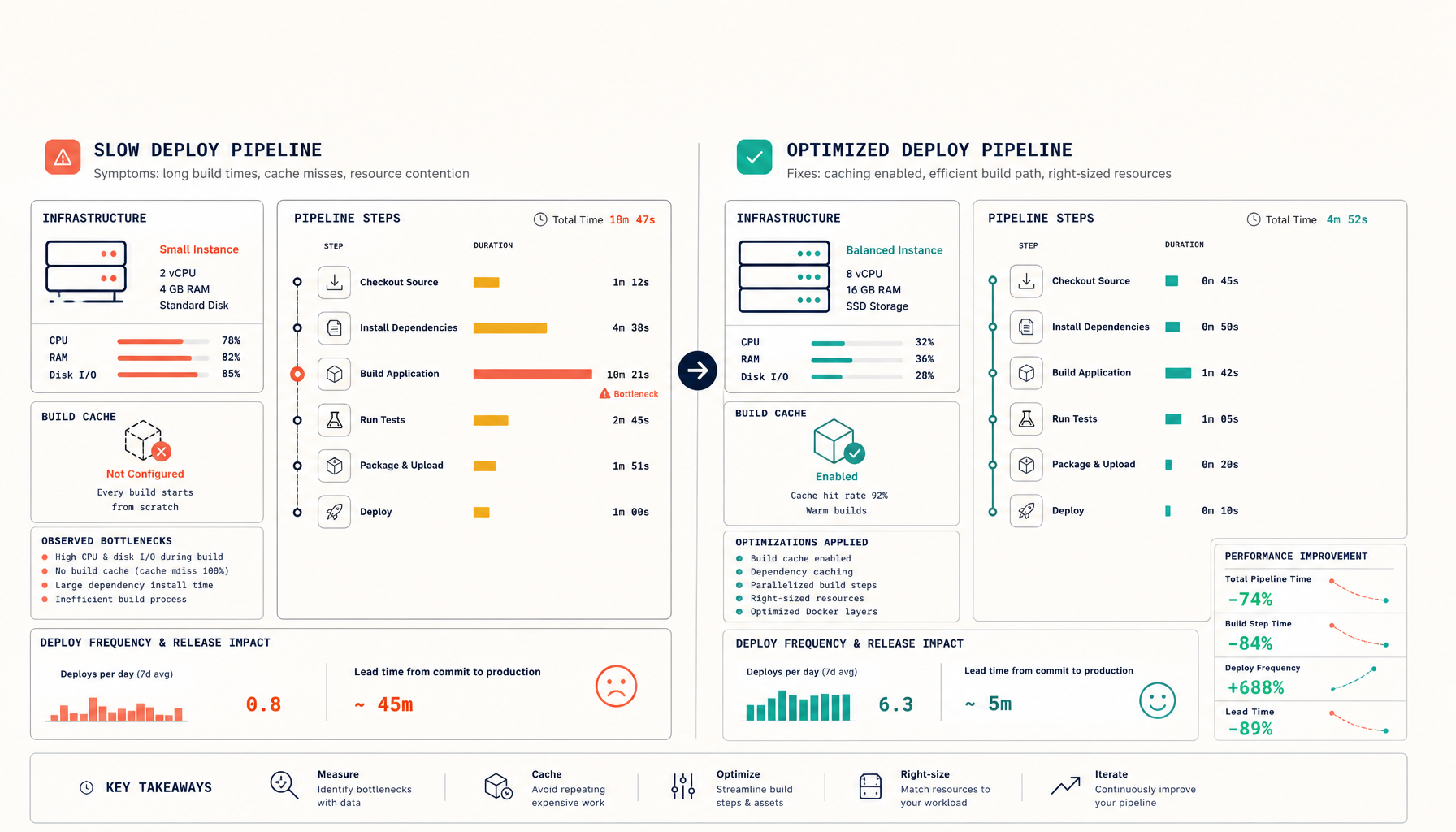
Why Coolify Deploys Are Slow (And How to Make Them Vercel-Fast)
Coolify deploys feel slow because the defaults favour simplicity over speed. Three causes — undersized VPS, no build cache, wrong build strategy — and the fixes.
Read on deploytovps.com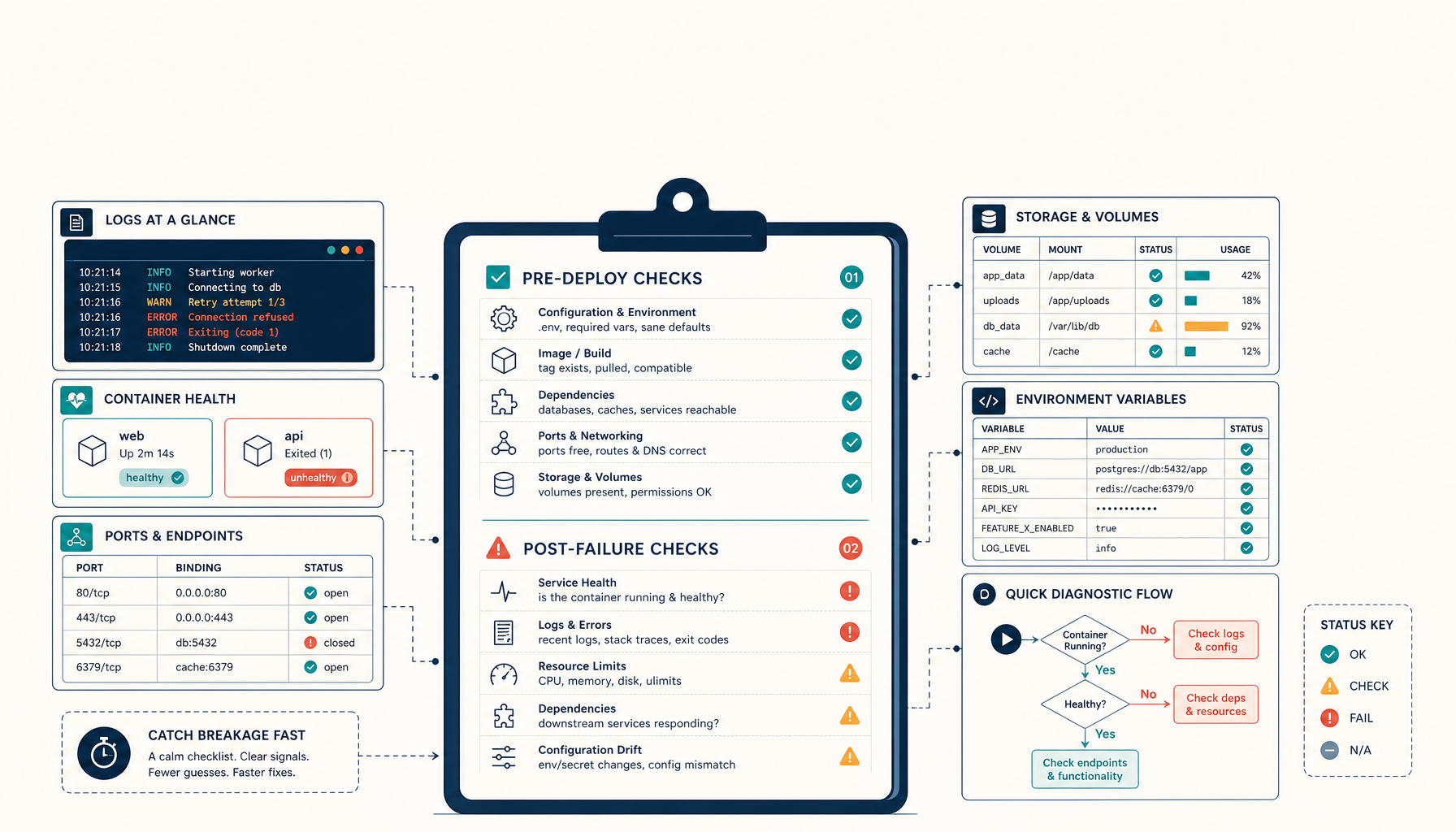 Deploy to VPS8 min read
Microweber + Dokploy: The 2-Minute Deploy Debugging Checklist
A practical pre-deploy and post-failure checklist for self-hosting Microweber via Dokploy. Catches 80% of common breakage.
Read on deploytovps.com