How to Evaluate a VPS Provider for Migration Safety (Not Just Price)
Updated 2026-05-14
Most VPS migration horror stories share a structure: someone sees a cheaper provider, signs up, copies files over, DNS-flips, and discovers the new host has a quieter IP that the user's email gets routed through suddenly fails sender-reputation checks — or that the old provider's "snapshot backup" was actually only of the boot disk, not the data volume. Or that the migration plan was right but the rollback wasn't tested.
Migration safety isn't about the destination provider. It's about the workflow. A safe migration plan is identical regardless of who you're going to.
This is the playbook.
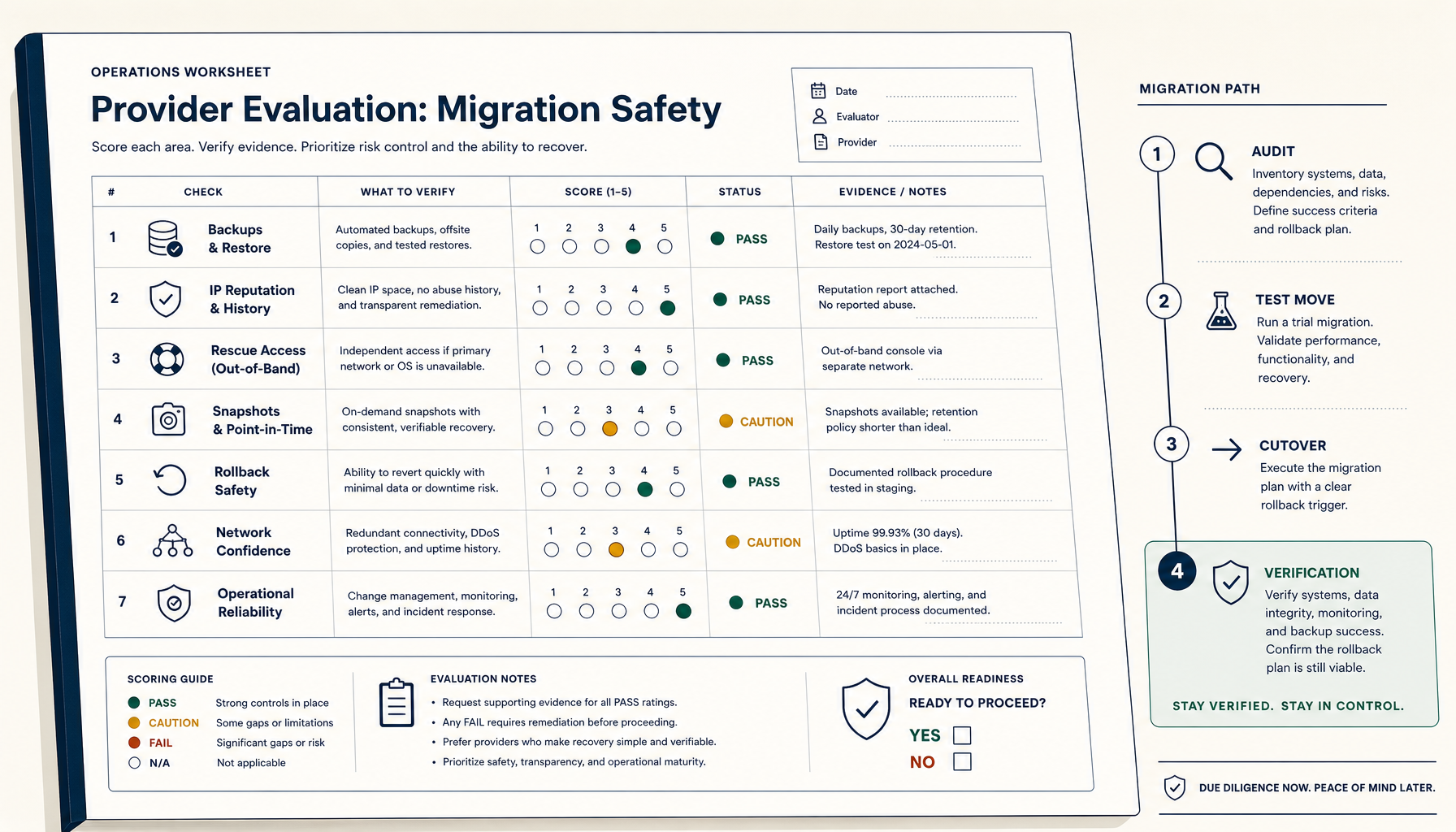
Before you migrate: the seven verifications
1. Provider reputation, but on the right axes
Cost and benchmarks aren't enough. Check:
- PTR/reverse DNS policy — can you set custom rDNS on your IPv4 (and IPv6) without paying extra? Critical for email and any service whose receivers check rDNS.
- IP reputation — search the destination provider's IP range on Spamhaus, Barracuda, AbuseIPDB. Cheap providers often have ranges that are pre-flagged.
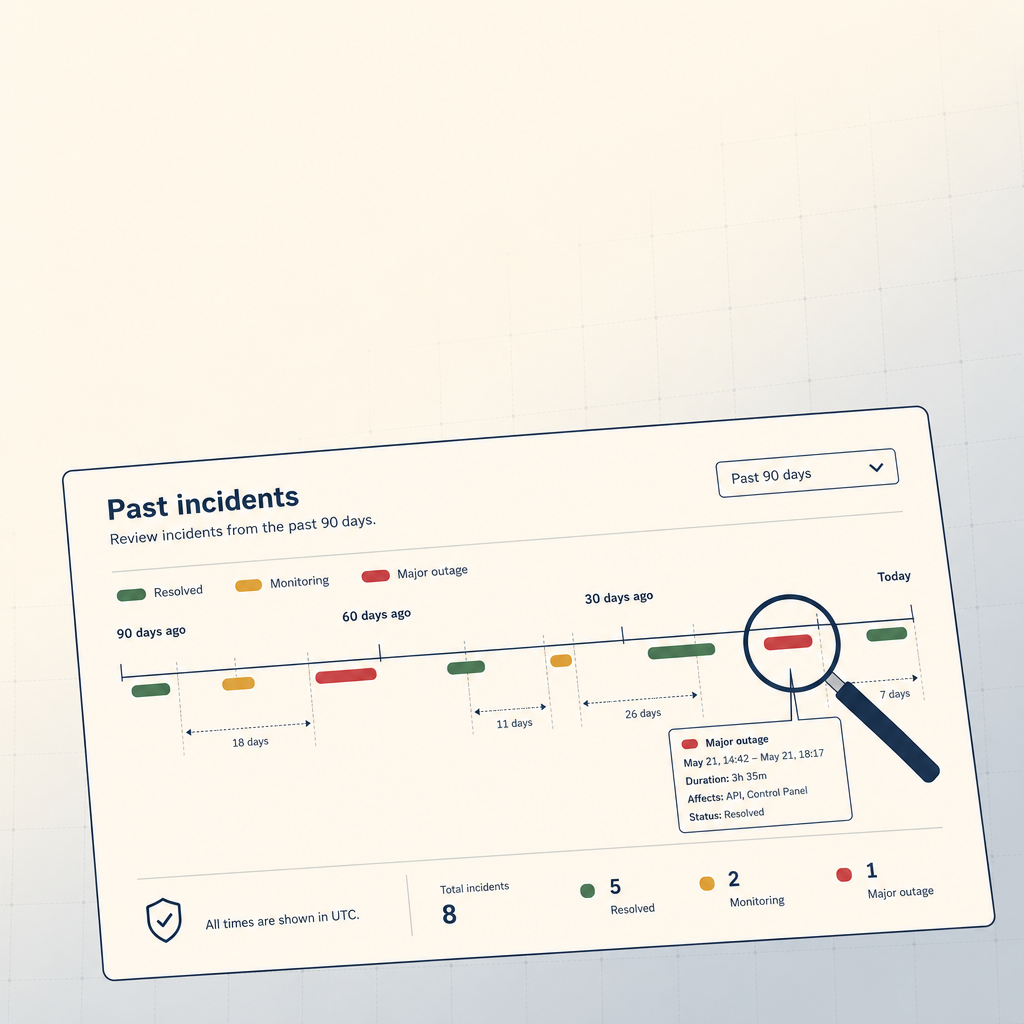
- Network reliability — find recent "incidents" pages or status histories. A provider with monthly partial outages is a hidden tax.
- Egress costs — surprisingly variable. Some providers charge per-GB for outbound, some include it.
- DDoS handling — is mitigation included or is it a crisis bill when it happens?
A provider that's $3/month cheaper but has a flagged IP range will cost you 4 hours of email-deliverability debugging. Net: negative ROI.
2. Data inventory
Before you migrate, write down:
- Application code paths (
/var/www,/srv, etc.) - Database paths and dumps
- Config files (
/etc/nginx,/etc/letsencrypt, app-specific configs) - Cron jobs (
crontab -lper user,/etc/cron.d/,/etc/crontab) - Mounted volumes / disks
- Any state in
/var/lib/<app>(Postgres data, Redis dumps, etc.) - Service files in
/etc/systemd/system/ - SSL/TLS certificates and renewal hooks
- DNS records (TTLs, MX records, TXT records)
Sounds tedious. Skip one item and the migration produces a "it worked, except…" outcome.
3. Snapshot, dump, and verify
For every database:
# Postgres
pg_dumpall -U postgres > /backup/all-$(date +%Y%m%d).sql

# MySQL
mysqldump --all-databases --single-transaction --triggers --routines --events > /backup/all-$(date +%Y%m%d).sql

# Verify the dump can restore on a different machine before continuing.
The third step (verify on a different machine) is what separates "I have a backup" from "I have a backup that works." Many migration disasters are dumps that turned out to be empty or corrupted.
4. Test the rollback path
Before you start, ask: if this migration fails halfway, how do I get back to the original?
- DNS TTL: lower it to 300s a day before the migration. After migration, you can flip back fast if needed. (Otherwise you're stuck waiting hours.)
- Old server: do not destroy for at least 7 days after the cutover.
- Test the rollback DNS flip on a non-production service first.
5. Time the cutover
Pick a low-traffic window. For most B2B SaaS this is 02:00 in the user's primary timezone, on a Saturday. Avoid:
- Mondays (people notice)
- The first or last day of the month (billing runs)
- The week of a major release
- Holiday weekends (no support staff)
6. Build the runbook
Write the cutover steps in advance. Each step should have:
- The exact command(s) to run
- The expected output (so you can verify)
- A "what if this fails" branch
This is the difference between a 20-minute cutover and a 3-hour panic. The runbook is also what your post-migration review uses.
7. Test the new server's basics
Before the cutover, on the new server:
curl -I localhost:443— does the app respond?mail -s test [email protected]— does outbound mail work?dig +short example.com @1.1.1.1— does DNS resolve correctly?df -h— is there room?free -m— is there RAM headroom?
Don't migrate to a server you haven't smoke-tested.
The migration day
Phase 1 — sync data while old server is live
# rsync app files repeatedly to converge
rsync -avz --delete /var/www/ newserver:/var/www/

# Final database dump and copy
pg_dumpall -U postgres > /tmp/final.sql
scp /tmp/final.sql newserver:/tmp/
Run rsync several times in the days before. Each subsequent run is faster. The final run on cutover day is then a small delta.
Phase 2 — quiesce old, restore on new
- Stop writes on the old server (read-only mode if your app supports it; otherwise downtime starts here).
- Final rsync.
- Final database dump.
- Restore database on the new server.
- Start the app on the new server.
- Smoke-test on the new server (using the new IP, not DNS).
Phase 3 — flip DNS
Once smoke tests pass on the new server's IP, flip the A record. With TTL at 300s, propagation is mostly done in 10-30 minutes.
If you have a load balancer in front, this is even smoother — flip backends, observe traffic shift, decommission old when stable.
Phase 4 — verify and watch
- Watch error rates for an hour.
- Verify SSL handshakes succeed.
- Verify email deliverability with a test send to Gmail, Outlook, ProtonMail. Check spam folders.
- Verify cron jobs ran on the new server (or are scheduled to).
- Verify monitoring alerts work from the new IP.
Internal links
- Guide: VPS Backup Strategy
- Guide: SSL Certificates with Let's Encrypt
- Tutorial: Self-Host Uptime Kuma on a VPS
- ServerCompass: Compare VPS providers
When migration is the wrong answer
A reminder: most "I should switch VPS providers" instincts are wrong. Costs are usually 5-10% different. Switching costs are 10-40 hours of engineering time plus risk. Unless your current provider is genuinely failing you (frequent outages, no rDNS control, blocked ports), staying put and tuning is almost always the better trade.
The migrations that actually pay back:
- Moving from a managed PaaS (Heroku/Render/Railway) to a VPS to escape per-dyno pricing.
- Moving from a small VPS to a bigger one when you've outgrown the resource ceiling.
- Moving from a provider with persistent reliability problems to one with a track record.
If your reason is "this provider seems cheaper" — measure twice. The cheap migration is usually the expensive one.
Related in the StoicSoft network
If you're self-hosting on a VPS or working through a deployment guide like the one above, DeployToVPS is the StoicSoft network's handbook for VPS deployment recipes — docker-compose, nginx, traefik, and common app self-hosts.
From across the StoicSoft network
Hand-curated reads on the same topic from sister sites in the StoicSoft family.